Automate Pull Request Labels Based on Changed Files With GitHub Actions
Using GitHub Actions to add labels conditionally to a PR based on which files and directories changed
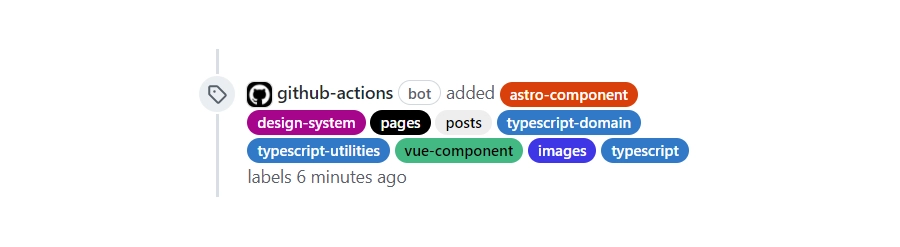
Labels, labels, labels #
GitHub allows you to add labels to issues and pull requests.
It’s a very simple concept and yet labels can be used as a building block for modern devops with infrastructure-as-code. Automations, build pipelines, and workflows can be setup to use GitHub labels.
For example, an issue can be labelled by a maintainer in order to:
- Trigger a new build or a bot response to ask users for more details
- Escalate serious bugs and communicate via internal private chat channels (Slack, Discord, Teams, etc.)
- Mark a pull request as, for example, experimental in order to prevent it running on the full test framework/runtime/OS matrix
- Trigger a deployment when a label is removed
That’s a lot of functionality that can be built with labels. As an example, I’ll show how to add labels automatically depending on which area of a codebase has changed. This is what I use in every project I work on as it allows maintainers oversight and awareness of the impacts of changes. It does not depend on the language or types of files - it’s based on the git diff and paths.
Adding labels to indicate which area of the code has been changed #
I use the actions/labeler@v2 action in order to add labels. Two files are required to make it work. The workflow file itself and another YAML file where the mapping of area to labels is setup.
.└── .github/ ├── workflows/ │ ├── labels.yml │ └── ...everything else └── labeler.ymlEvery project is different but in the case of my site there are several areas I want labels adding to. I’ve abbreviated the list here:
build:- .github/**/*
design-system:- src/design/**/*- src/styles/**/*
astro-component:- src/**/*.astro
vue-component:- src/**/*.vue
images:- public/**/*.{ico,svg,jpg,jpeg,png,gif}
pages:- src/pages/**/*
typescript:- src/**/*.ts- src/**/*.tsx
typescript-domain:- src/types/**/*Adding colours #
The next step is to create the matching labels in GitHub’s UI (you can also create organisation wide default labels too!). The final step (optional, but highly recommended) is to add a colour and description to each label.

All done! #
That’s it. I find it to be an easy way to bring organisation and transparency to the development process while also being rewarding. Labels open up many possibilities for automation and I’m sure you’ll discover many too.
GitHub actions, infrastructure-as-code, and keeping the whole build configuration in source control are powerful ways to build a project. Not only that, it’s reproducible, sane, satisfying, and sometimes fun!
I definitely find the lack of these essential properties painful when I’m asked to work with a legacy build process.